

Work
What I've designed and built, and exactly how far each piece has got. I design the systems and build them with an AI-assisted workflow; how I keep that under control is on the Approach page.
| Live | Open to the public and working. |
|---|---|
| Deployed | Running at its own address under automated tests. |
| Built and tested | Working under automated tests. |
| Prototype | A working model on demo data, not a product. |
| Planned | Designed or described. Not built. |
Every platform, by status

Deployed





Prototype
- Dot.Assets
Planned
- Dot.Doc live co-typing
- InfoDot for entrepreneurs
In development


A look inside the Dot.Eco-system
Every platform has its own home page. Click a frame to open it in a new tab.


Project notes
-
Dot.Mines: one view for a fleet office
Deployed
- The problem
- A fleet office needs one view of its machines, and production figures it can trust. Typed tallies drift from what the machines did.
- What I built
- A fleet and mine-operations platform with one view of machines, production, fuel, maintenance and operator compliance. Every reading shows how fresh it is. It is designed to turn a machine's own counters into daily production, so production can come from the machines rather than from typed tallies.
- Rules in the design
- A load counter keeps climbing for a machine's whole life, so the production day has to start somewhere: Dot.Mines cuts it at midnight South African time. A quiet machine is judged against its data provider's normal reporting rhythm, not a fixed clock. Exceptions such as overdue maintenance, expiring operator licences and production losses are flagged by rule-based checks and statistics.
- Engineering
- More than a thousand automated tests run on each change.
Open Dot.Mines (opens in a new tab)
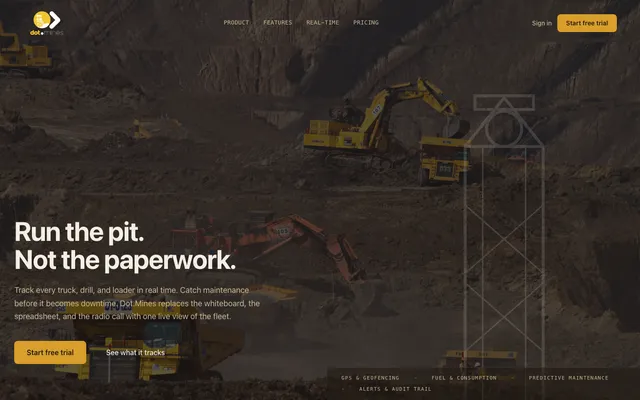
Dot.Mines home page -
Dot.Central: a shift control room that never edits a fact
Deployed.
- The problem
- A control room adds judgement to what the machines report: why a machine stopped, who runs what, what the next shift needs to know. When that judgement overwrites the source, nobody can tell afterwards what actually happened.
- What I built
- A control-room system for a mining shift. It takes fleet facts from Dot.Mines and lets the control room do the shift's work (line-up, stoppage classification, alerts and handover) without ever editing a source fact.
- Rules in the design
- The control room classifies a stoppage, but the classification never changes what the machine reported. A machine is never marked as stopped just because its data is missing. Every reading shows its age.
Open Dot.Central (opens in a new tab)
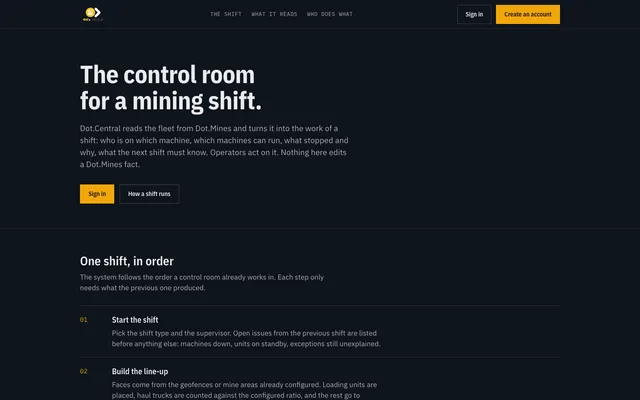
Dot.Central home page -
Dot.Doc: recurring reports from shared templates
Live.
- The problem
- Weekly and monthly reports get rebuilt from scratch, styled by hand and saved in several versions.
- What I built
- Teams write recurring reports, such as production and incident reports, from shared templates. House styles come out the same in the editor, the PDF and the Word file. There is version history and an audit log that cannot be edited. Several people can work on the same structured report on low-cost hosting: changes are merged paragraph by paragraph, and if two people change the same paragraph, the later writer's version is offered back to them rather than lost.
- Not yet
- Live co-typing is planned. Reports are not filled in automatically from Dot.Mines.
Open Dot.Doc (opens in a new tab)
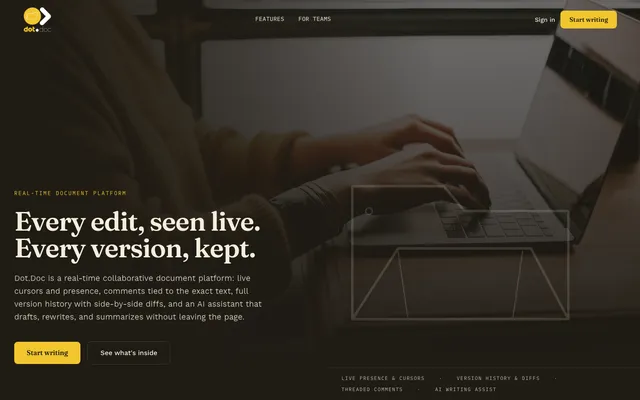
Dot.Doc home page -
InfoDot and the connections between platforms
Deployed.
- The problem
- A business with several systems has several copies of the same data, passed around by hand.
- What I built
- InfoDot is the hub that the other Dot.Eco-system platforms connect through. Where platforms pass notifications, access rights and file links to each other, they use signed requests, so the receiver can check where each one came from. Dot.Mines runs on its own.
-
Dot.Brain and Dot.Memory: monitoring that recommends, and remembers
Running on my own platforms
- The problem
- Systems fail quietly. The same failure comes back because nobody wrote down how it was fixed last time.
- What I built
- I run my main platforms with a monitoring loop that checks eleven of them every few minutes, recalls how similar past incidents were resolved and opens a recommended fix for a person to approve. It never changes production by itself. Dot.Memory records each incident and its outcome in plain language, so the same failure is recognised the next time.
- Not yet
- It covers my own platforms only.
-
Guarding the shared job schedule
In place across six apps
- The problem
- Six applications share one job schedule, so a bad deploy can silently stop background work.
- What I built
- All six now write the schedule under a lock and verify it, and watchdogs on the main platforms check that the jobs are running. When something fails in production, I look for the cause behind the symptom and turn it into a guard.
-
Dot.Analytics: insights that show their source
Deployed
- The problem
- An analytics screen can look convincing while saying nothing. An insight with no visible source is worse than an empty page.
- What I built
- Dot.Analytics takes in signed data snapshots and shows the source behind every insight, and automated tests stop placeholder text from appearing as one.
-
Dot.Agents: AI agents that wait for approval
Deployed.
- What I built
- A governed AI-agent platform, built so that every agent decision is logged, anything risky waits for a person to approve it, and agents that drift are suspended.
Open Dot.Agents (opens in a new tab)
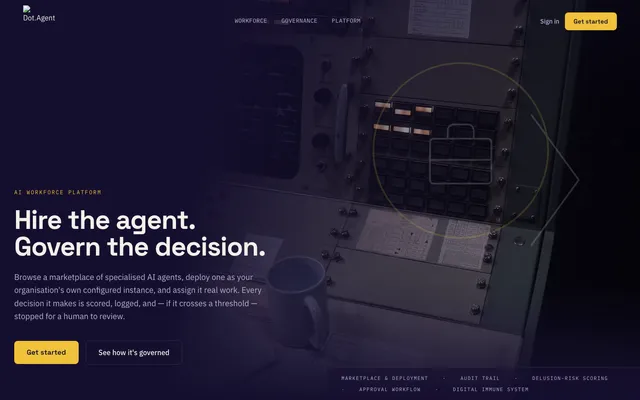
Dot.Agents home page
Team tools on the same foundation
Alongside these sits a set of team tools for documents, forms, files, spreadsheets, tasks and notifications, on the same foundation. They are deployed and tested.
Counting these, more than twenty other apps run on the same foundation, including marketplaces and farm records.
The Dot.Eco-system and InfoDot
InfoDot exists to help people start, operate, manage, and grow successful businesses by combining collective human experience, practical knowledge, AI-assisted guidance, and business intelligence from across the Dot.Eco-system.
The Dot.Eco-system is the full set of InfoDot micro platforms. InfoDot itself is the front door to them.
Exists today
- Signed hand-offs that connect the platforms in the Dot.Eco-system
- A knowledge base where a business can keep its questions and verified solutions, with moderation
Deployed.
Planned
- A place where entrepreneurs learn from other owners' verified experience at each stage of a business, from exploring an idea to running and growing it
- AI-assisted guidance and business intelligence drawn from across the Dot.Eco-system
- An auditable points system that rewards useful answers
- Legal, tax and financial questions clearly qualified as general information
Not built yet.
In progress and planned
Dot.Brain
Partly running.
The governance and intelligence design behind the Dot.Eco-system. Its monitoring and data-collection loops run in production today. Its reasoning and learning engines are specified but not yet built.
Dot.Analytics
Deployed.
Built to read across platforms from signed data snapshots, showing the source behind every insight.
Dot.Assets
Prototype, browser-only, demo data.
Asset-register reconciliation against the finance ledger, with segregation of duties, an offline field-verification queue and SLA tracking on the South African business calendar.
Dot.Mines, other machine makes
In progress.
Each make plugs in through one common adapter.
Dot.Doc live co-typing
Planned.
Planned for a later release.
InfoDot for entrepreneurs
Planned.
See above.
Back one of these early.
I'm building these platforms so that one of them can take off. If you want to back the work early, write to me and we can talk under NDA.
Write to me
If your reports take hours to assemble and still disagree, write to me.
I'm also glad to hear from founders building a product, from organisations putting AI to work, and from investors and partners.
You can also email info@sakhilebhayi.com.
Thank you. Your message has reached me, and I'll reply to the email address you gave.